
A quicker + menu in Chatter
Sharing in Chatter takes fewer taps, group chats get their own photo, and players can see what they owe right on the attendance list.
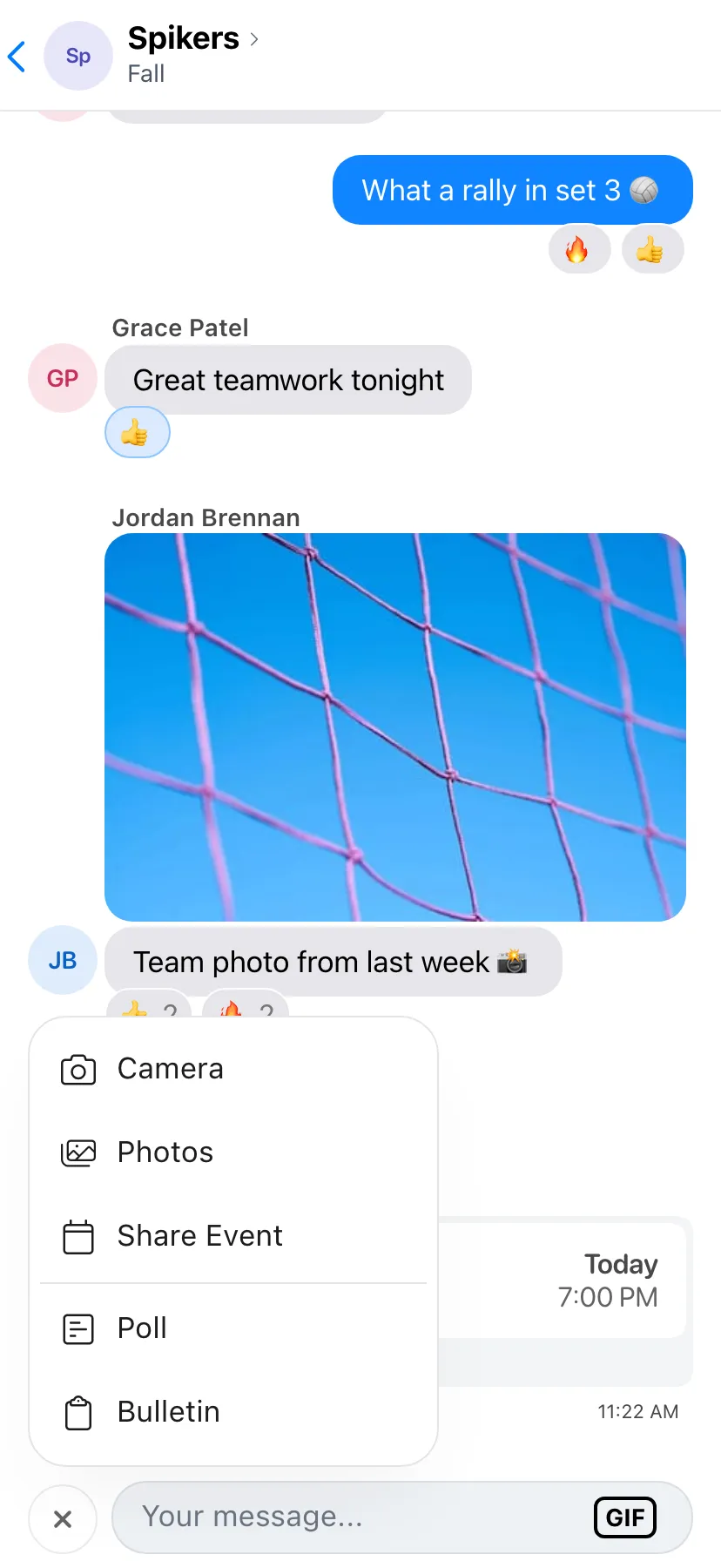

The + Menu
Tap + next to the message box to take a photo, pick one from your library, or share an event from your schedule.
Managers also get Poll and Bulletin in the same menu.
Group Chat Photos
Tap Edit on a group chat's photo to pick a new one, take one with your camera, or remove it.
Pay From Attendance
Players who still owe for a game have a Pay button next to their name on the attendance list, so it's easy to settle up before the game.
Improvements
- Events shared in Chatter show up as cards with the latest details.
- Ride requests open full screen.
- Sort sits right next to the attendance heading.
Fixes
- Quick Score's number pad no longer covers the scores, and tapping outside keeps what you typed.
- Waivers show their text again.
- The Chatter message box stays clear of the home bar on iPhone and responds every time on Android.
- Poll votes stay right after a change or a reconnect.
- Too many sign-in attempts tells you how long to wait.
- The drinks count can't go below zero.