
Mentions, and a faster Chatter
This release is all about Chatter: mentions, conversations that feel faster, quicker ways to react and catch up, and an easier way to find the chat you're looking for.
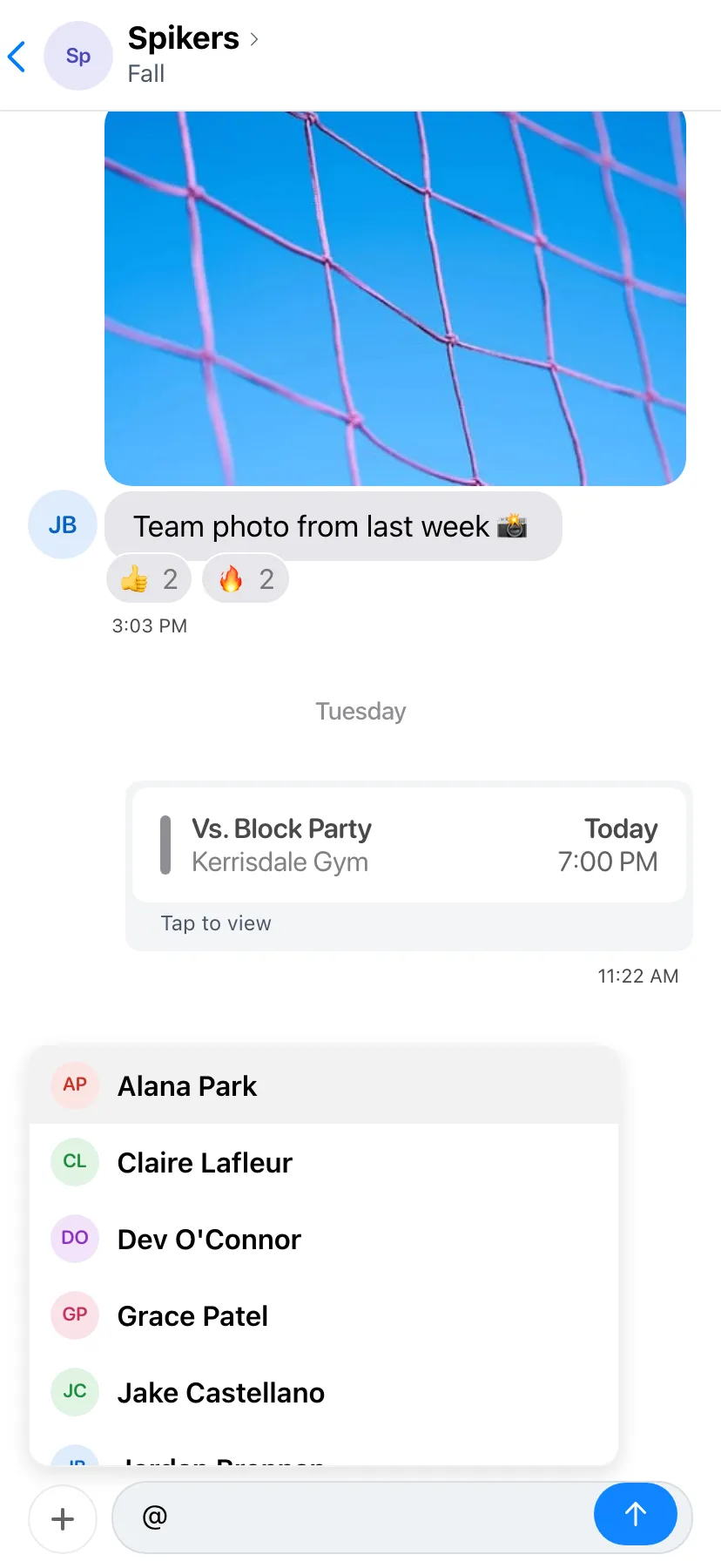

Mentions
Type @ in any chat and pick a name from the list. They'll get a notification, and their name stands out in your message.
When someone mentions you, you'll see an @ next to that chat until you've read it.
Smoother Chatter
Scrolling through long chats is now smoother, and new messages glide in as they arrive.
The message box stays with your keyboard as it opens and closes, and the date shows at the top while you scroll back, so you always know where you are.
Double-Tap to React
Double-tap a message to add a 👍 reaction without opening the menu. Double-tap it again to take the reaction back.
Press and hold a message for the full set of reactions, reply, copy and the other options.
Jump to Latest
When you scroll back through a chat, an arrow button appears near the message box. Tap it to jump straight to the newest message.
If new messages arrive while you're reading older ones, the button shows how many you haven't seen yet.
Chat Filters
The Chatter chat list now has tabs along the top: All, Teams, Group, Private and Archived. Tap a tab or swipe between them to narrow the list.
Archived chats have their own tab, so they stay out of the way until you need them.
Share Games to Chatter
Managers can share a game to the team chat from the game's details. It shows up as a game card in the chat.
Anyone in the chat can tap the card to open the game's details.
Improvements
- The person who started a group chat can remove people from it.
- Scroll up in a chat to see its whole history, not just the latest messages.
- League admins pick which extra hockey penalty lengths scorekeepers can use.
- Notification History shows the newest first, and who sent each one.
- Media now sits in the team menu, right after Drinks.
- League menus have one Settings item instead of four.
- When you RSVP for your family, your kids are listed first.
- League schedule imports match your existing teams and check before adding new ones.
- Players without a team can open Find a Game and Account right away.
Fixes
- Calendar sync leaves games that are already over alone.
- Opening a game from a notification or link no longer gets the Schedule tab stuck.
- Invite Spares only picks spares who can get the invite the way you're sending it.
- Chats show everyone in them again, without extra spaces in names.
- Switching Chatter tabs keeps your keyboard open.
- Deleting a message asks first, so you can back out.
- Long attendance lists load every player as you scroll.